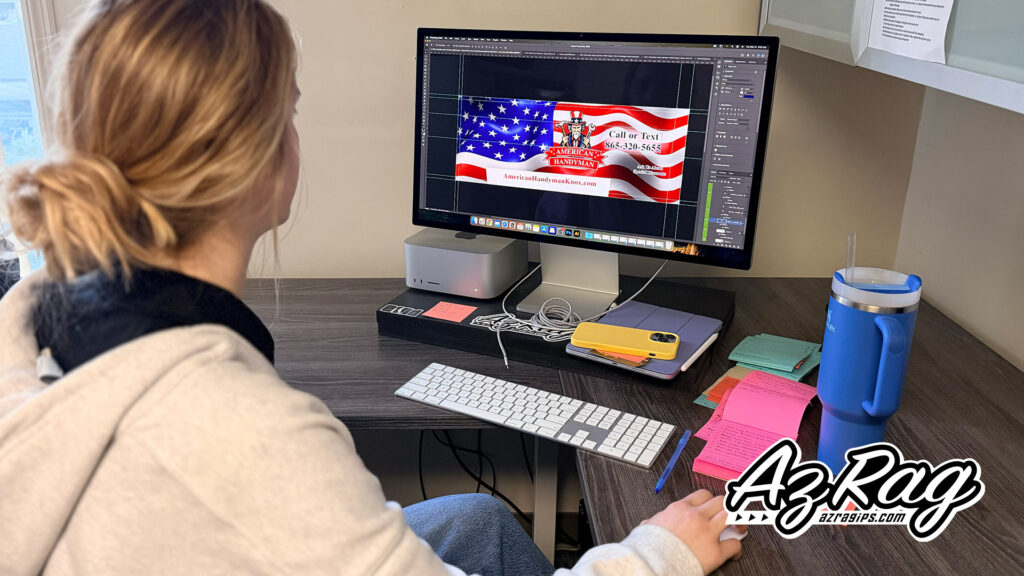
One of the most common speed bumps in the vehicle wrap process has nothing to do with the vehicle itself. It comes down to the files.
Before a designer can build your wrap, they need to work with the right assets. Bring the wrong ones and the project stalls, the budget goes up, or the finished product suffers. This post explains what you actually need, why it matters, and what to watch out for before you ever set foot in a wrap shop.
Vector vs. Raster: Why the Difference Matters
Every digital image falls into one of two categories: vector or raster.
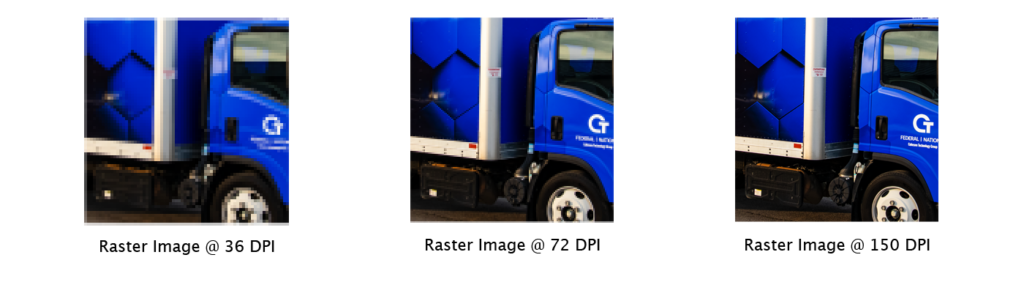
Raster images are made up of pixels. Images taken with your phone or created with artificial intelligence (AI) are raster files. So are images saved as JPG, PNG, or GIF. When you scale a raster image up beyond its original resolution, those pixels become visible. The image gets soft, blocky, and blurry. On a printed sign or a vehicle wrap that might span 15 feet of sheet metal, a logo that looked fine on a business card can fall apart completely.
Vector images are built differently. Instead of pixels, vector files store mathematical equations that define shapes, lines, and curves. That means they scale infinitely with no loss of quality. A vector logo looks just as sharp on a business card as it does covering the entire side of a box truck.
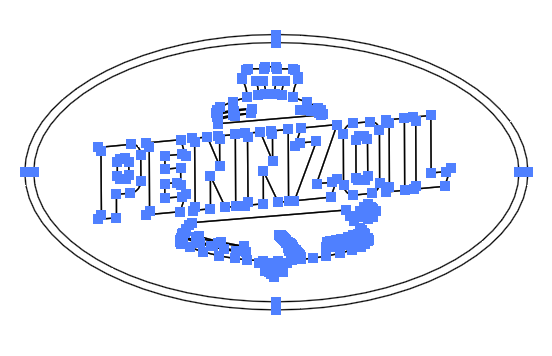
This logo was an svg file extension. As you can see when opened up in adobe illustrator, the software we use to manipulate and design your wrap, there’s points that establish the area and size of the components of the logo. This allows us to scale and modify the art to fit your application.
Common vector formats include .ai (Adobe Illustrator), .eps, .svg, and .pdf (when saved from a vector program). If your designer gave you a .jpg or .png of your logo and nothing else, you likely do not have a vector file.
For vehicle wrap design, vector files are the standard requirement. They allow the wrap designer to resize, recolor, and integrate your logo into the layout without any quality compromise. If you do not have vector files of your brand’s assets we can recreate them for a charge.
Raster Files in a Wrap Context: When They Work and When They Do Not
Raster images are not useless in wrap design. Photos of products, people, and backgrounds are always raster, and they can absolutely be used in wraps when the resolution is high enough.
Our standard for large-format print is 72 DPI at the intended print size. A photo that is 300 DPI at 4×6 inches is not a 300 DPI image for a vehicle wrap. Resolution requirements scale with the output size. When in doubt, provide the largest version of any photo you have and let the designer assess whether it will hold up at print dimensions.
If your only logo file is a raster image, it can sometimes be recreated as a vector through a process called manual tracing. At AZRagIPS, simple logo recreations can often be folded into the wrap design process at our standard design rate. More complex logos with gradients, textures, or detailed illustrations require more time and are quoted accordingly.
Pantone Colors: Why Brand Color Accuracy Matters
If your brand has specific colors, those colors need to be defined in a way that translates consistently across different materials and printing processes.
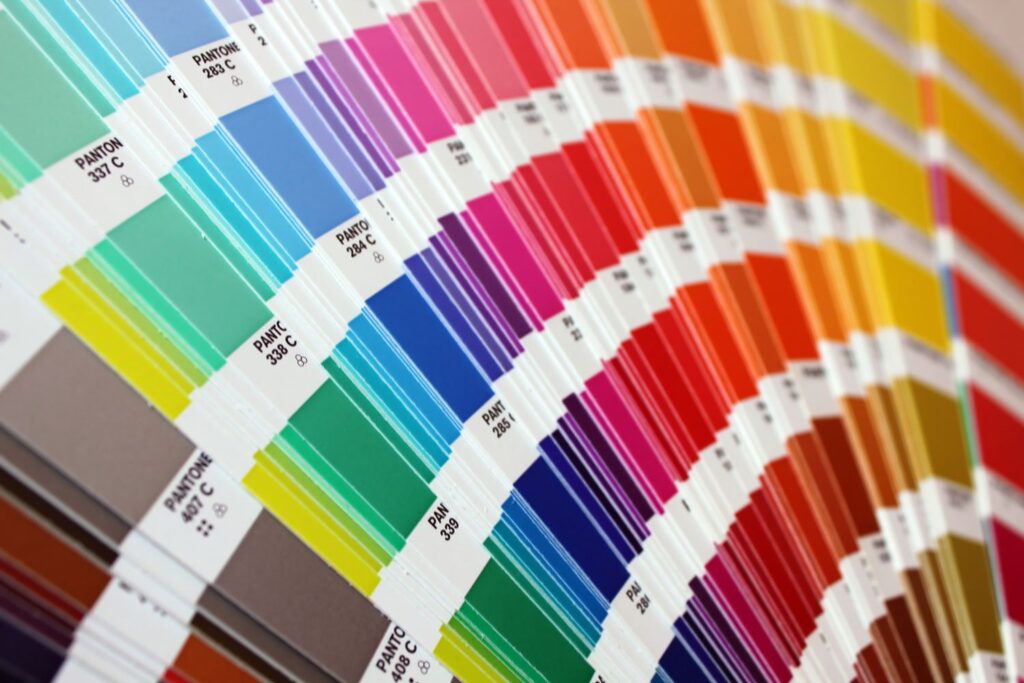
Pantone Matching System (PMS) colors are a standardized color library used across the print and design industry. When your brand guidelines specify a PMS color, a designer or printer anywhere in the world can match that color exactly. Without a defined Pantone color, colors shift based on the monitor being used, the printer interpreting the file, and the material being printed on.
For vehicle wraps, we print to CMYK. The goal is to get as close as possible to your brand’s defined colors within the limits of the printing process. When you provide your Pantone colors, we have a target to match against. When you provide only a screenshot of your logo or a JPG pulled from your website, we are matching to whatever that file happens to display, which varies by device and is never a reliable color reference.
What to bring:
HEX codes as a secondary reference
Your brand style guide if you have one
PMS color codes for any primary and secondary brand colors
CMYK breakdowns if you have them
If you worked with a professional designer to build your brand, this information should exist somewhere. If you are not sure, ask whoever created your logo.
The Problem with AI-Generated Logos
AI image generators have made it easy to produce something that looks like a logo in minutes. The results can be visually interesting, but they create real problems when it comes time to use those images in professional print applications.
Here is what to know:
AI-generated images are raster files. Tools like Midjourney, Nano Banana, DALL-E, and Adobe Firefly output image files, not vector graphics. Scaling them to wrap dimensions exposes every quality limitation in the file.
Resolution is frequently inadequate for large-format print. Most AI image outputs are sized for screen display, not large-format production. A 1024×1024 pixel image that looks sharp on a phone screen becomes unusable at wrap scale.
Gradients, blends, and textures do not translate well. AI-generated designs often include complex blending effects that look sophisticated on screen but print poorly and are difficult or impossible for a designer to work with cleanly.
Color is undefined. Because AI tools generate images without reference to a color system, there are no Pantone or CMYK values tied to what you see. What you see on screen is what the algorithm produced, with no documented brand standard attached to it.
If you used an AI tool to generate your logo concept and want to use it on a vehicle wrap, the honest answer is that the file itself likely needs to be recreated as a vector by a designer before it can be used in a professional print application. That is a real cost, and it is worth knowing upfront.
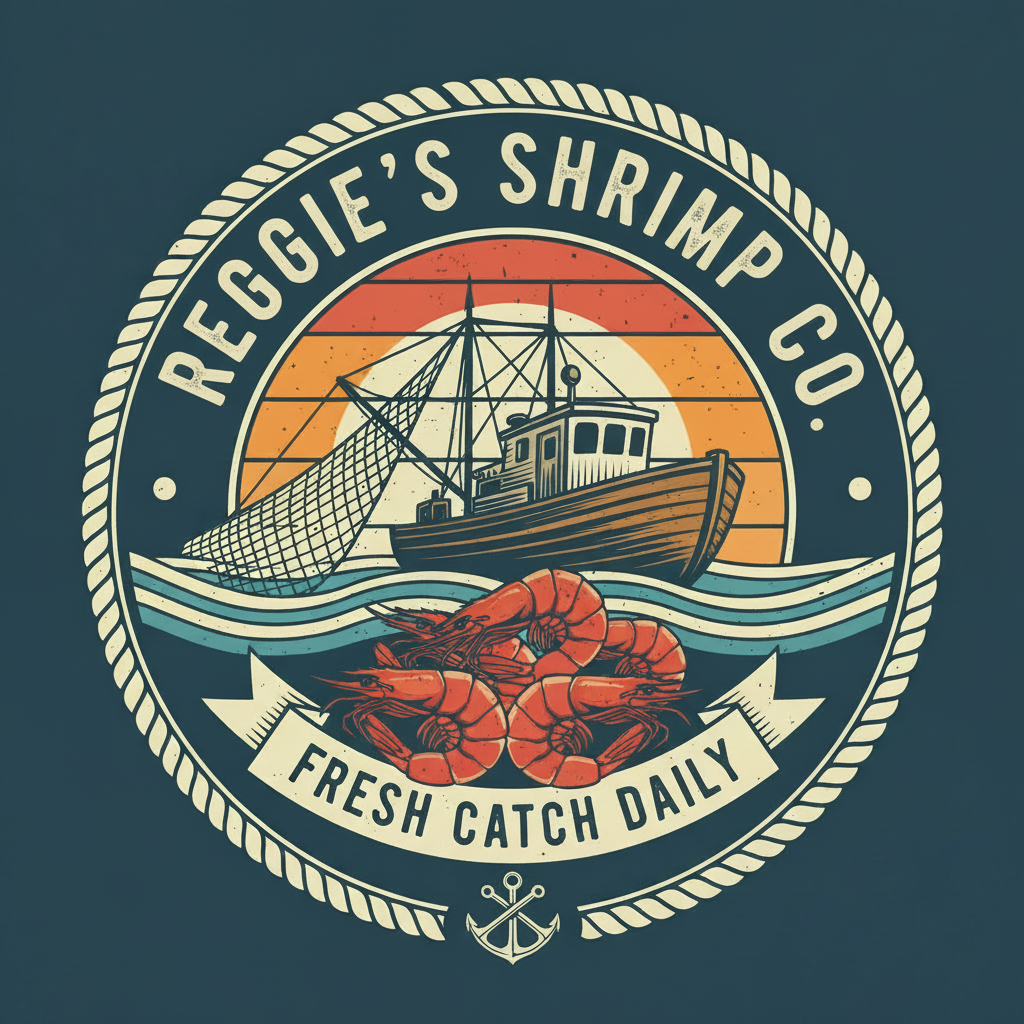
The example to the right was created using nano banana. Using the prompt “create a logo for reggie’s shrimp co.” This was the first output. As you can see the anchor isn’t very life like, and there’s lots of artifacts and colors that won’t translate well when printed. Also the file size is only 1024×1024 at 72 dpi, barely making it legible enough for even a 3″ sticker.
What to Bring to Your Wrap Consultation
The more complete your assets are coming in, the smoother the process goes and the more of your design budget goes toward creative work rather than file repair.
Ideal asset package:
- Logo in vector format (.ai, .eps, .svg, or vector PDF)
- Brand colors in Pantone and CMYK values
- Any style guide or brand standards document
- Examples of how you want the vehicle to look, even rough references
- High-resolution photos if photos are part of the design
If you are missing some of these, that is not a dealbreaker. AZRagIPS has an in-house design team that can help reconstruct assets, develop a wrap concept from scratch, or advise on what you need before the project moves forward. Reach out to get a free quote or book a wrap consultation and we will tell you exactly where you stand.
Why AZRagIPS
AZRagIPS is a 3M Preferred Installer based in Knoxville, Tennessee, serving clients across the Southeast. Our in-house design team works directly with the installation team, which means design decisions are made with the finished product in mind from the start. When file issues come up, we catch them early and advise on the most cost-effective path forward. That coordination is part of what makes the process predictable and the results consistent.
Ready to get started? Request a free quote or book a consultation and bring whatever you have. We will take it from there.